
Tips Tuesday – 43 Google Analytics 4 Tutorials, Best Blogging Communities, Video Scheduler
Hello Happy Site Owners and Webmasters!
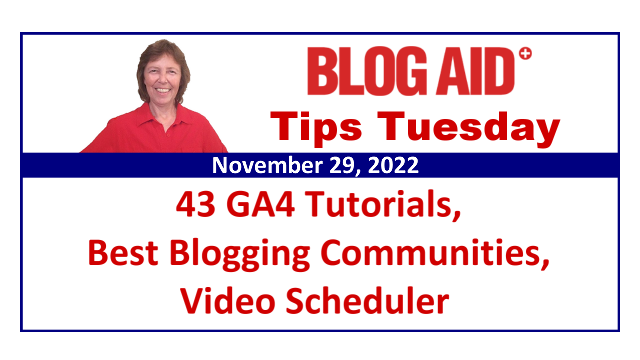
Tips this week include:
- Why I’ve become a post writing and video making maniac
- The new video publishing scheduling tool I’m using for Instagram
- 43 tutorials have been added to the Google Analytics 4 Course for Bloggers
- 2 ways visitors are counted in GA4
- 2 ways to customize reports in GA4
- The best blogging communities for massive traffic that I’m using
- WordPress pitches ex-Twitter devs to join Tumbler
- What I’ll be listening for in Matt’s State of Word address coming in a couple of weeks
Listen to the Podcast
Podcast: Play in new window | Download
Subscribe: RSS
BlogAid Happenings
I hope all of my U.S. peeps had an enjoyable holiday weekend.
I definitely got some much needed eat, sleep, and repeat time.
And Zak is ruined. We both love turkey and I bake mine the night before.
He’s usually at my feet when I’m chopping up anything, as he loves his veggies too. But now he’s excitedly following me around everywhere, hoping I’m going to get him another bite of the bird.
He dances for every meal normally, but now he’s doing extra twirls and hops until I put that bowl down.
Learning and Applying
This past week I’ve been keeping my nose in the books, so to speak, with learning and applying what I’ve learned from 2 different courses I signed up for, as well as new tools that will make all of this new marketing I’ll be doing easier for me.
Post Writing Maniac
I’m still going bonkers with the info Denise Wakeman presented in the first of her 3 workshops for how to create a lead magnet.
She gave us one resource that produced 56 blog titles for me that are exactly what folks want to know about Google Analytics 4.
And I’ll be taking snippets out of those posts to make short and long form videos. I believe I’m close to having 200 of those because each post covers about 4 main points on that topic.
New Video Publishing Scheduling Tool
Across the weekend I also began releasing the shortform videos I batch made with tips for the Google Analytics 4 course.
And to help me with that, I’m trying out a new tool called PlannThat which one of my clients turned me on to.
I want to do all of my uploads from desktop and while I can do that for TikTok and YouTube, that’s still not easy for Instagram. But this tool makes it possible.
Plus, PlannThat allows me to schedule and upload to multiple platforms. Plus they have all kinds of helpful tips and resources that I’m still reading too.
Deep Dive Into Facebook Family of Apps
A couple of weeks ago I signed up for 2 courses from the Queen of Facebook, Mari Smith.
I’m still getting caught up on all of that material because she is a powerhouse of info and resources and it takes time to check deeply into some of the options and tips that she presents.
Facebook owns Instagram and both of them change every 5 minutes. So, I needed a way to get caught up on the latest methods of what’s working.
Site Services Update
And of course I’m still doing client work like crazy, as this is usually a heavy time of year for it.
If you’re ready for an audit, or checkup, or want to move to better hosting, the waitlist is running into January. Just fill out the audit request, or migration request, or combo migration/audit form.
If you’re ready for a consult, just use the contact form and those are scheduled on demand.
BlogAid Course Happenings
Google Analytics 4 Course for Bloggers Update
Woot!!
I’m excited to share that all of the tutorials which are shared in both the GA4 Lite and Ultimate GA4 Course are complete!!!
They include:
- 25 tutorials for setting up your accounts, data stream, GDPR, and more
- 18 tutorials on the Standard Reports in GA4
The Ultimate Google Analytics 4 Course for Bloggers is still on sale at $100 off.
So jump on that deal and start collecting your traffic hits now, as you can’t migrate that data over from Universal Analytics.
New GA4 Posts
As mentioned, I’m cranking out new Google Analytics 4 posts like crazy.
Here are 2 you’ll want to check out.
2 Ways Visitors are Counted in Google Analytics 4
Did you know that GA4 has 2 main Scopes, meaning the way Users are counted in the Standard Reports?
They are:
- First User
- Session
This has everything to do with why the data in your GA4 reports don’t match what you’re seeing in you Universal Analytics.
Go see my post on these 2 Scopes for details.
2 Ways to Customize Reports in Google Analytics 4
Did you know there are 2 ways to customize reports in GA4?
That’s because there are 2 report types:
- Standard Reports
- Explore Reports
See the blog post for full details.
But in brief, you can use the Standard Reports as a template and customize the layout and a bit of the info shown in it. And that’s handy as there are 3 Standard Reports that are great for snapshots of visitors to your site and what they are doing.
That’s why I’ve expanded the Ultimate Google Analytics 4 Course for Bloggers to include how to do customizations on those Standard Reports.
But, Explore Reports allow you to create a report from scratch and it allows you to add any of the 156 Dimensions and 160 Metrics that GA4 can track and show.
That includes both Scopes. And instead of just First User, you can use any type of User in your custom reports including, First, which is also New User, Returning, Active, and Total Users.
And you can select the order of things too.
Explore Reports are so easy and fast to build. So don’t fall for folks selling you templates. You needed those in Universal Analytics, but not with GA4.
I show you how to make over 20 Explore Reports in the course that focus squarely on the exact data you were used to seeing in UA. Plus, you see how to create reports for the new things that GA4 tracks like the links clicked on your site and which page they were clicked on.
So, when you see courses and tutorials that tell you how to customize a report, just be sure you know which of the 2 reports their talking about, especially before you spend money!!
That’s all the happenings around here. Let’s jump into this week’s tips and news.
Content Marketing Tips
Best Blogging Communities for Massive Traffic
You may recall in a recent Tips Tuesday that I said that I would be using the promotion of the GA4 course to create a real marketing campaign process both for it and my new secret project.
Syndication is a big part of that goal, as are finding where folks who would be interested in what I publish hang out.
The nice folks at Blogging Pro have what looked like the motherload of the best blogging communities for massive blog traffic.
I checked into all of them. And it looks like the only good fit for me at this time is Medium.
I already had a Medium account and now I’ve started adding my GA4 posts to it.
That’s definitely a low hanging fruit opportunity that I don’t want to miss.
And I did have an RSS setup with LinkedIn that I need to recheck. I’m honestly not all that active on LI anymore and never found it to be a real source of traffic or leads. But, it may be for GA4.
Loss of Syndication
BlogAid had been syndicated on The Daily Bolt for years. And that did bring me a lot of traffic.
But something went wrong with the site’s feeds earlier this year and it dropped all of the syndicated sites except for Post Status. Those were sites like WPTavern, WPBeginner, and other such giants.
I did contact the owner and she said they were working on it, but it’s been about 6 months now and I don’t have hopes of it coming back.
Other Syndication Opportunities
In that big blogging communities list I mentioned previously, there are paid options for syndication. But I had a look at the topics those sites cover and the engagement on those posts and I’m not seeing a good fit for my GA4 posts.
Where Do You Post?
Besides your blog where else do you repost your full content?
Are you worried about duplicate content? You shouldn’t be anymore. There are ways to let Google know where the canonical post was first published. And there have been several tests to prove that there is no issue with it.
Or, do you run ads on your site and the only way you can get paid is to have folks visit your own site? If that’s the case, you would want to make a teaser post on these other platforms that send folks to your site for the whole post. You can share more content and get more eyeballs than just sharing a link to your post on social media.
WordPress Tips
WordPress Pitches Twitter Devs for Tumbler
If you keep up with any type of social media news, it’s hard to escape the Elon Twitter shenanigans.
As you’ve likely heard, Elon laid off most of the Twitter staff.
Well, WordPress put out word that any of those devs were more than welcome to join the Tumbler team.
Back in 2013, Tumbler sold for $1.1 billion. In 2019, Automattic, the parent company of WordPress, picked it up for just $3 million.
And WP has been trying to bring Tumbler back from the dead all these years since.
I can’t imagine why WP’s call for Twitter devs would be attractive for them, other than just needing a paycheck.
But, we’ll see if their ideas, which likely went unheard at Twitter, breathe new life into Tumbler.
State of Word Address is Dec 15
The State of Word Address had usually been given at the annual WordCamp US meeting, but has been split off into a separate event.
This year, Matt Mullenweg will give his address on Dec 15.
And you can watch via YouTube.
I’ll be interested in hearing about the focus for WP for 2023 and if it’s all still going to be Full Site Editing or not.
Wrap Up
That’s a wrap for this week’s Tips Tuesday.
Thanks for sharing this podcast and post with your blogging buddies, and for leaving comments and reviews too.
Subscribe to all BlogAid Posts via email so you never miss anything!
Be sure to visit BlogAid.net for more tips and resources and I’ll see you online.
