
Tips Tuesday – GA4 Setup Guide, WP 6.7.2, Recipe Post Ranking
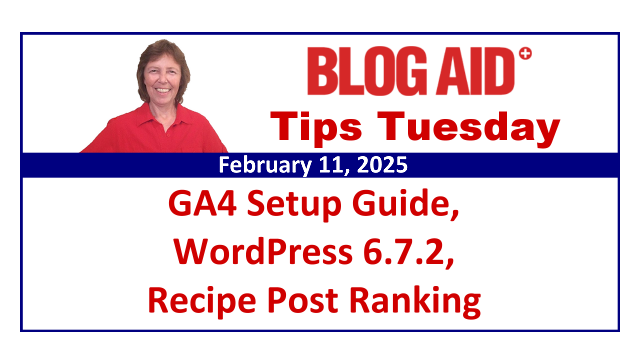
Tips this week include:
- New GA4 Setup Guide – it’s free!
- Substack Guides on the way
- Substack interest survey
- WP 6.7.2 update today
- Google Gemini teaches WordPress
- WordPress and AI update
- Checking into Google AI
- ChatGPT Search showing up in GA4
- Merging GA4 and GSC
- Google is Gunning for Foodie bloggers
- How to make more money with less ads
- LinkedIn video watchtime up 36%
Happenings All Over
New GA4 Setup Guide
I made a new freebie for eCreators Hub.
Even if you already have your GA4 connected, you’ll want to see this Guide, as there have been changes.
That’s especially true if you simply connected your Substack, Shopify, or Printify to GA4, but didn’t go through all of the settings.
You can get it by subscribing to eCreators Hub News.
(I sent the link to current subscribers on Monday night.)
Substack Guides on the Way
I finished the 2 Substack Guides I’ve been working on for the past couple of weeks.
They are:
- Substack 101 – to set up your Personal Profile and how to make Notes and Posts
- Substack Publications and Websites – for creating your “blog” and associated site
But, before I put them up for sale on my Shopify store, I need to research a couple of new apps for bundling them at a discount, and making them available for affiliates to pass on to their peeps.
I’ll let you know when they are available.
Substack Survey
Honey, I’m going big guns on Substack these days!!! And several of my clients are too.
Are you wanting to get in on this?
Please take this quick, 3 question Substack survey.
I’m likely going to be offering a new mastermind on it that will be especially helpful for those of us who need to strategize on how to use it in coordination with our WP site.
But, I need to gauge interest, and this survey sure will help me help you with it!!!
So, jump on over and take it right now – will be less than a minute to do.
WordPress Tips
WP 6.7.2 Update Today
We’re expecting the WP 6.7.2 version to roll out today.
It has 32 bug fixes.
Being a minor, or point release, it should auto update for you.
But, it may not do that the minute it hits your site, as it will wait for the cron job task to tell it when to do that.
So, if you see the notification, you can manually do the update, if you like.
Or, you can wait for it to do it automatically, which should be within 48 hours.
Google Gemini Teaches WordPress
Y’all this may be the end of software training videos on anything other than the newest stuff.
Gemini is Google’s AI version of ChatGPT.
You can show it your screen and ask it questions about what it is seeing and how to do things.
Here’s a YouTube video of a man asking it how to do things in the admin side of WordPress.
He’s talking to the Gemini assistant and the assistant is replying, which is the second voice you hear in the video.
In doing this, you are not giving access to your site through an API or other connection. Gemini is simply seeing what you are showing on the screen/window you elected to share with it.
Frankly, I think this is the very best use of AI for education.
Now, of course, it won’t know to tell you what precautions to take, like ensuring you have a full backup prior to doing plugin updates or such. And it won’t tell you when something is a bad idea, like using a plugin that will slow down your site, or which plugin is best to use and why. Well, it can actually do the latter, but its data is just based on reviews, not tests.
So, folks like me, who help you keep your site fast and safe and avoid costly mistakes, will still be in business.
Just know that this Gemini feature is not limited to just helping with WP. It can help with anything you show it on the screenshare.
WordPress AI Update
It’s also worth reminding you at this point that WordPress purchased WPAI back in December.
This is a startup that makes AI tools specifically for WP sites.
But, these will be integrated directly into your WP installation, which is a big NO from me, at least for now.
You may recall that I started Tips Tuesday Plus as a way to fund covering all of the extra research into such AI tools. And not one of them got a green light from me. And since I didn’t see a future in continuing those tests, I stopped carrying the Plus version of this weekly post and newsletter.
I will continue to keep my eye what they do with this, and I’ll keep you posted on anything that is useful. But I won’t be reporting on all of the new shiny things if they aren’t useful or safe.
AI Tips
Checking Into Google AI
I use AI LLMs sparingly, like ChatGPT, Claude, and Anthropic. That’s because everything you input goes to train their model.
But, Google’s AI products don’t do that.
And now Gemini is available in most Workspace accounts for free, instead of being an extra $30/mo.
They’ve also made NotebookLM available for free in some Workspace accounts, at least I think that’s so.
I checked both of these things out on a separate paid account for a while. They integrate directly with all of your other Google products like Docs, Sheets, and email.
I couldn’t find a good use for them at that time, but now that I’ll be starting whole new marketing campaigns for eCreators Hub products, I’m going to be checking into them again.
SEO Tips
ChatGPT Search Showing Up in GA4
Along with the new GA4 Setup Guide that I’m creating right now, I’m also testing a new regex to group together hits from all AI Search platforms so we can see them as a whole in GA4.
Some folks are already reporting seeing these hits from ChatGPT Search.
As soon as I finish my testing, I’ll be updating EZ Metrix reports with this new group.
Merging GA4 and GSC
This is definitely something I’ll be looking into. And, it’s a report I can set up for EZ Metrix clients too.
Google is Gunning for Foodie Bloggers
Google considers the recipe itself as the MC, or Main Content.
And they say all of the scrolling past fluff content is a bad UX, or User Experience.
They also say having a ‘jump to recipe’ link is also a bad UX.
And the reason we have so many foodie sites like this is due to ad agencies encouraging bloggers to have more content and images so that they can place more ads on the posts.
Those agencies follow a specific content/ad ratio.
That practice helps the ad agency, not you!!!!!!
I’ve said it for years – more ads does not mean more money. Most folks only see 3 ads on your site because they are scrolling so fast to get to the recipe. The ad placements make the ad agency money. But only ads that are seen make you money. (If the screen is not still for a few seconds, a visitor does not see the ad and you don’t get paid for that.)
And that ‘jump to recipe’ link is a horrible idea. Folks skip your optin and all the related content you may have linked in the post.
Make More Money With Less Ads
If you want to have more content on your post, then do a how-to post, with screenshots. No more fluff content.
Reduce the number of ad placements.
EVERY single client I have suggested this to who did it actually gained more followers, higher rankings, and made more money – like 3x more money.
Make a real, how-to video, not just a bunch of still images with a little music and start making money from YouTube.
Sell a cookbook with those how-to videos embedded in it.
Teach a mini course on cooking. You would not believe how many folks don’t even know the basics.
The point is, get away from your reliance on ad revenue from blog post, and get away from reliance on Google ranking that post, and give your readers a FAR better experience!!
I’ve got the courses and services to help you do these things.
Video Tips
LinkedIn Video Watchtime Up 36%
LinkedIn is going all in on video with new promotions for them and new mini courses to teach creators how to make them. And those courses are free!!!
The thing to keep in mind with this is that there are lots of super busy business owners on LinkedIn.
You need to keep your videos there to the point and/or offer a written transcript for folks who want to scan.
They are also promoting LinkedIn Live for livestreaming.
Substack is promoting both pre-recorded and live video now too.
Folks, this is the way all platforms are going.
Find a way to get into video now. Don’t wait on me to come up with a course. Try the free ones at LinkedIn first, or anywhere else you can find them.
