
Fix for UpdraftPlus with Amazon S3 Storage Issue
See how to test and fix an issue with UpdraftPlus backups not saving to your Amazon S3 storage.
NOTE: This issue was due to a change at AS3 and it started around Jan 7 2025. It was fixed by a UDP update on Jan 11 2025.
Test for AS3 Connection
Go to UpdraftPlus.
Click the Settings tab.
Scroll down to the AS3 section.
Click the button for Test Amazon S3 Settings.
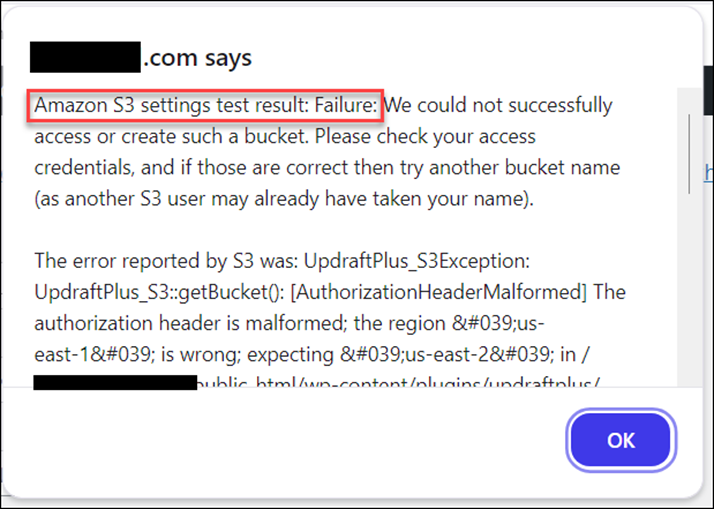
You will see a pop up with the result.
This is an error message example – if you see this, you have the issue and need to update.
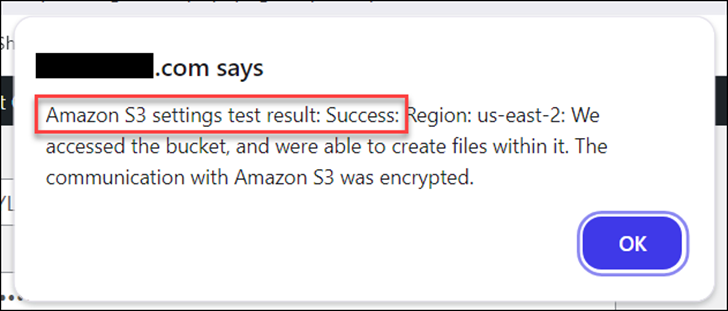
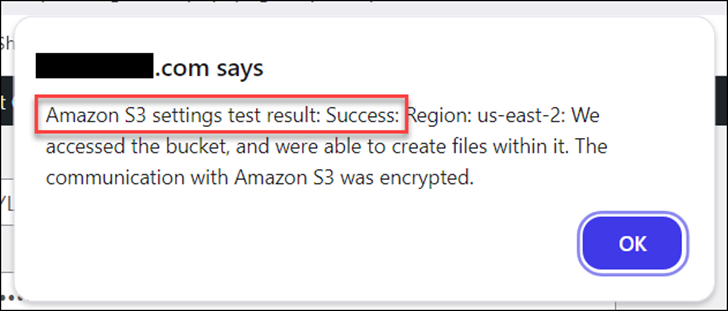
This is a success message example – if you see this, you don’t have an issue and you can ignore the rest of this tutorial.
Update Your Plugin
Go to your list of plugins.
For UpdraftPlus, look for a notification to update to version 2.25.1.26

Update to the new version
Retest
Return to the UDP settings.
Retest the access to AS3.
You should see the success message.
Run a Database Backup
See this tutorial for how to run a backup on just the database, which should complete fairly quickly for you.
Watch the messages and progress bar as it does the backup.
If there are any issues, you should see a message that there was a problem.
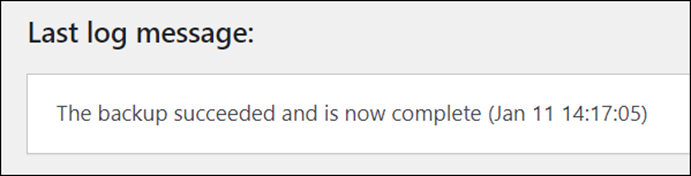
Otherwise, you’ll see a success message like this:
About Your Previous Backups
This issue seems to have started on Jan 7 2025 and was due to a change at AS3 with their bucket regions. It did not affect everyone.
But, if you received an email message that your backups had an issue since then, your backup did take. It was just stored on your hosting and not at AS3.
Once you have run a new, full back up, you can delete the one that had the failure, as it is taking up room on your hosting disk space. There is no need to run it right away. You can wait for your next auto backup.
