
GA4 Data Retention Setting Update
See the new split setting in GA4 for how long your data will be available.
Access Data Retention
Log into your GA4 account and ensure you are on the correct property.
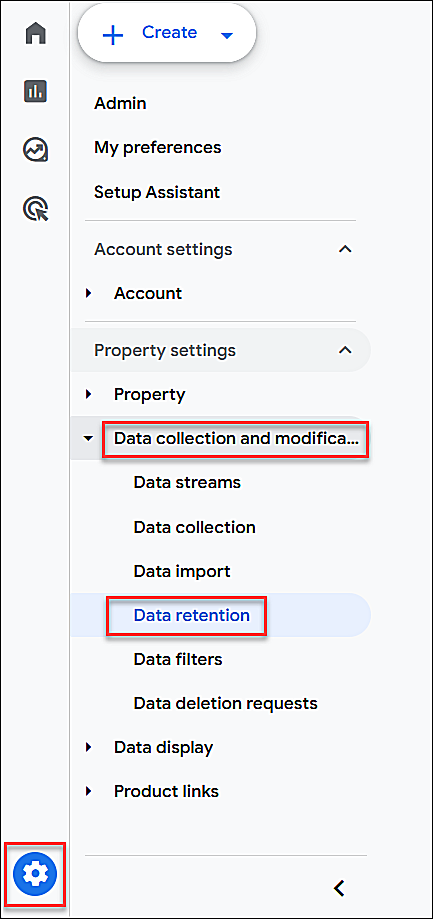
At the bottom, on the left, click the gear Admin icon.
In the sidebar, click Data collection > Data retention
Data Retention Settings
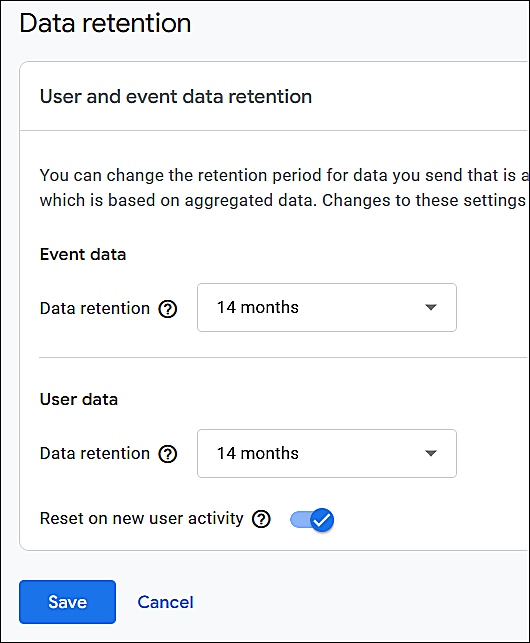
There are now 2 settings for:
- Event data
- User data
Ensure that both of them are set to 14 months.
Save
If you made changes, click the Save button.
