
Tips Tuesday – GA4 Webinar, New in WP 6.1, Find Gutenberg Blocks, Write Landing Pages
Hello Happy Site Owners and Webmasters!
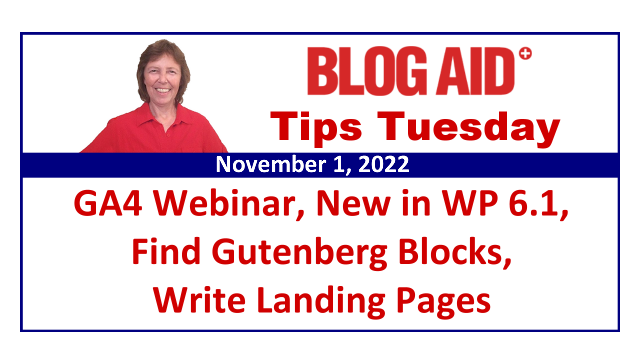
Tips this week include:
- A video tour of What’s New in WP 6.1 that’s rolling out today
- Where to get special update instructions for WP 6.1
- A tutorial on how to easily find the Gutenberg blocks you’re using
- Google Analytics 4 webinar is happening this week for my peeps and how to get notified on the public webinar coming up soon
- Why I split the GA4 course into an ultimate and lite version
- What’s up with the internet and sites acting so goofy
- The VPN service I use to get around the internet goofiness
- How to create a landing page that’s about excitement, not hype
Listen to the Podcast
Podcast: Play in new window | Download
Subscribe: RSS
BlogAid Happenings
I’ve got all kinds of goodies for you today!!
What’s New in WP 6.1
WordPress 6.1 is rolling out today and it is jam packed with new features and improvements.
See the video tour I made for you that’s a quick view of what to expect.
Get Special Update Instructions
Because of the changes to the core, especially the new database caching and such, we will not be the first folks to update to WP 6.1.
BlogAid News subscribers will be the only folks who get my special update instructions when I deem it safe for us to update.
And I sure hope it won’t be long because I REALLY want some of those Gutenberg block improvements.
If you get Tips Tuesday via email, you are subscribed to that list.
If you don’t get it, you’re missing a lot, like discounts on the upcoming Google Analytics 4 course. And I’ve got an exciting update for you on that in a moment.
Find My Blocks Tutorial
In the WP 6.1 video tour you’ll see a mention of the other new video tutorial I released last week for using the Find My Blocks plugin to help you locate where your specialty block plugin is in use.
You may recall a few weeks ago that I reported in Tips Tuesday that I was done with Astra and the UAG/Spectra plugin too.
It’s not that Astra is bad.
It’s that they have always run a little too far ahead of WP and Gutenberg and they just keep innovating in ways that aren’t fully beta tested before a major release. And things break.
Now, they have gotten better about it.
But with the major upgrade of Ultimate Addons for Gutenberg to Spectra, they made no arrangements for backward compatibility with some of the blocks they dropped, specifically Advanced Columns.
The native Gutenberg Columns block has pretty much caught up to the special styling features that UAG had.
So, I can see why they might want to drop that Advanced Columns block from Spectra. But what I can’t see is why they gave zero thought to what would happen on sites where it was used extensively, like my sites and those of my clients.
What I advised my clients to do was to check the status of the native WP blocks now that they are making a dedicated push to standardize all of the styling options across all of the blocks.
So we are checking to see if a native WP block can replace what we used the specialty block plugins to do, and to only use those special features sparingly.
And many of us want to change from Spectra to Kadence Blocks, which are a bit more stable.
One of my Hubbers discovered the Find My Blocks plugin which shows you where those specialty blocks are used to make it easy for you to do that conversion.
It’s so helpful that it warranted making a tutorial for us on how to use it.
This is just one more example of the power of the village at work and all of my clients helping each other.
BlogAid Course Happenings
Google Analytics 4 Webinar Coming Soon
Last week I reported that all of the tutorials for the new GA4 course are written.
And on Friday I met with a couple of my peeps to finish vetting the course material.
And I was able to take them on a tour of the all the custom reports that you can create too.
They are jumping up and down with excitement to get into this course and start building their own reports.
But what else was very telling is that we started our tour with a look at the default reports in GA4 and in just 2 minutes they completely understood why:
- the metrics in those reports don’t match what they see in UA (Univeral Analytics)
- How radically different the focus is in GA4 for what is measured
- The huge difference in what things are called
So, it’s clear that a webinar to show you the same things is called for.
I’m setting one up for just my peeps this coming Thursday, meaning those in the:
- Hub (which are my site audit clients)
- DIY SEO course
- Webmaster Training
I know a lot of those folks already understand the immense value of the feedback they get from their analytics, and many of them have already added GA4 but can’t make any sense of it, or understand clearly why the metrics don’t match what they see in UA.
Plus, 25% of those folks plan to offer GA4 setup as a service to their clients too. And they know I’m going to deliver the info they need to get that right as well.
I want to gather their feedback and questions so that I can address them in a webinar for the public soon too.
BlogAid News subscribers will get first dibs on the limited seating available for that live session, as well as the replay.
2 GA4 Courses
I also decided to make the GA4 essential setup tutorials available as a Tier 1 course for those who just want the basics of getting it setup correctly and how to read the default reports for now.
It will be called GA4 Lite.
And the full course version will be called the Ultimate Google Analytics 4 Course for Bloggers.
Discounts Coming
I’m in the process of doing the final edits on the landing page for the GA4 courses and setting up the purchase pages, email lists, Facebook group, and more right now.
For the rest of this week I’ll be a tutorial recording manic to publish the first section of the course.
And then I’ll open it up for purchase.
So, look for an email with your discount codes to come in the next week or so.
And that may happen even before the webinars because I know some folks want in right away.
They’ve already taken several of my courses and they know how good they are.
And they also want to get a jump on having GA4 setup so they can collect all of this super holiday traffic they are getting right now.
That’s all the happenings around here. Let’s jump into this week’s tips and news.
Internet Issues
Have y’all been experiencing issues with connecting to some sites, including your own?
It’s been happening widely for a couple of months now.
I’ve been seeing issues connecting to vendor sites.
- I can’t log into Cloudflare.
- Namecheap comes up like it’s missing the SSL certificate and the layout is missing all the styling.
- I have to wait a minute or two when I first wake up my computer for the Chrome windows I keep open all the time to reconnect to my back office docs, which are on Google Drive.
- And Err domain can’t be resolved or DNS issue warning comes up a LOT, especially when clicking a Google search result link on my iPad.
- And now me and several of my clients are getting Cloudflare 522 error messages that the connection to the host timed out.
So, if you’re experiencing these or similar issues, you’re not alone.
And I think we have at least 2 issues happening:
- Cloudflare is having issues with mirrored locations in the midwest and having to reroute them
- Internet hubs all over are getting overwhelmed
Plus, there may be an issue with the DNS resolver service that all of us use. It failed a couple of years ago and the whole internet east of the Mississippi river was unable to connect to much of anything.
Folks, the internet is just a bunch of wires and hubs. And it’s a LOT more fragile than folks realize.
It’s actually not that hard for hackers to overwhelm any single hub that affects entire regions of any country.
Now, things are in place to mitigate those attacks and/or reroute that traffic to another hub.
But, when several hubs are under attack, everything bottlenecks and that’s when we start seeing errors and slow sites and such.
So, if this is happening with your site, there’s likely nothing your host can do to fix it because nothing is wrong with the hosting. The issue is the internet and its components.
VPN Services
What I’ve tried that has helped is to use my VPN from an IP in Denver or some other region that doesn’t seem to have hub issues.
A VPN is a Virtual Private Network. There are tons of VPN services available.
I use the Private Internet Access service.
The security on the service is spectacular yet it is still super affordable.
And I would caution you not to use a free VPN service.
When stuff is free, you’re the product.
I’m logging into accounts all day, every day and there is no way I can risk having any of that tracked by a VPN service.
Plus, a lot of the free services use proxies that are blacklisted and you’ll get a spam or bot flag when you go to your regular sites, as they have to check that you’re a human and not trying to hack their site and such.
Keep in mind that a lot of folks use VPNs to hide their identity and avoid tracking the kind of internet activity they are doing that they don’t want anyone to know about.
So, security, privacy, and lack of blacklist is something worth paying for here – and it really doesn’t cost much at all.
Landing Page Tips
It’s Not Hype, It’s Excitement
This past week I had to force myself to sit down and write the new landing page for the GA4 courses.
I know many of y’all think I’m great at marketing. But I find writing landing pages a bit intimidating too.
Here’s why.
I hate hype.
I can’t stand the scammy looking landing pages that go on and on and on forever with all hype. It’s like eating a bowl of sugar. It’s sickening.
Plus, I’m suspicious of landing pages that have 12 bonuses that add up to $1200 yet the course is $47.
That’s just cotton candy fluff and there is no real value there.
But, I need a page that will convert, so I have to give it an exciting tone.
Here’s the formula I use for my landing pages.
- I list the pain points.
- Then I list how I take that pain away.
- Then I list the benefits beyond the big pain points – especially all of the stuff that folks may not have even realized they needed because they were so focused on the one or two things that were giving them the most trouble.
- That’s the cake.
- And then I put the icing on it with how I make it easy.
- Then I put the cherries on top with even more benefits that are truly extras, like a support group or such.
It’s not hype. It’s fact.
But the tone makes all the difference.
And if you’re not listening to the podcast, you’re missing a bit of what I’m going to say about tone.
You can’t just say, “Here are all the facts, now buy the course.”
The fact is, if you’re not excited about this offer, nobody else will be either.
Say it out loud.
Go tell your best friend about this wonderful thing you have and you want to share it with them too.
I’m not kidding – say it out loud.
I even practice with my dog Zak.
I start with “Hey Zak! I know you’ve been struggling with XYZ and here’s something that can help. Look how easy it is to solve that problem! Plus, here’s what else you can do once you get past that hurdle!”
It’s all about tone.
And Zak reacts to that.
He’s all excited and wagging his tail and he knows something good is coming from me that he will like.
Joy is contagious.
Put it in your writing.
Put it in your videos.
Go have a look at the intro to the Find My Blocks video.
Turn off the sound.
Can you see how happy I am to share this with you?
Did you notice how much I smiled while speaking?
I got myself into my happy vibe before I made that intro and I truly was excited to share it with you.
That vibe came through, even without sound.
That’s part of your tone too.
Go ahead, try it.
Say something – anything. Just a statement of fact.
Then smile and say it again like you’re excited to discover it.
Here’s an example while I was writing this out on the deck.
Here’s the fact: “That tree has bark.”
Here’s the excited discovery: “That tree has BARK!!!”
See what I mean? It works!!!
It takes a little practice, so tell your family you’re going to be walking around the house talking excitedly to yourself, and them for a while.
Zak sure does enjoy my rehearsals, and the treat or snuggles I give him later too!
Wrap Up
That’s a wrap for this week’s Tips Tuesday.
Thanks for sharing this podcast and post with your blogging buddies, and for leaving comments and reviews too.
Subscribe to all BlogAid Posts via email so you never miss anything!
Be sure to visit BlogAid.net for more tips and resources and I’ll see you online.
