
WordPress Out of the Box Performance Test Results

Ever wonder how WordPress performs right out the box? I put a new installation through every major online testing service. Included are notes and full screenshots with summaries, waterfalls, performance scores, and request details. Testing tools include Pingdom, GTMetrix, WebPageTest, and WebSitePulse. Feel free to use it as a baseline to compare your site performance scores.
Test Parameters
For these tests I used a new install of WordPress 3.9.1 with the TwentyTwelve Theme.
The home page was tested and displayed a 500 word post with one 500×500 px image that displayed as a 300x300px thumbnail, and the Hello World post.
The Primary Sidebar contained the following widgets: Search, Recent Posts, and Categories, of which there was only one.
The hosting environment is A2 Hosting (aff link) on Managed VPS with SSD (Solid State Drives). So, this test site runs a little faster than on shared hosting, especially those with non SSD. If nothing else, the speed results will allow you to test your hosting setup to A2.
Each test was run on a fresh incognito browser tab after the history had been cleared to ensure there was no browser caching.
Since there are so many images, I elected to display them in thumbnail galleries. I did my best to break them into logical sections for ease of use. Just click on the thumbnail to see them in a lightbox. And use your browser’s Back button to return to this page.
Please keep in mind that I may continue to run tests on the site used, including different configurations on the host server side that cannot be detected from the raw code. And, at some point I’ll be taking this site down. So, if you run tests on the URL displayed in the screenshots, you may get a very different result than shown here!
Run the Test Yourself
Want to run the test on your own host? Here’s the image.
It has pretty standard compression and optimization, to be middle of the road for what most site owners upload. It is not a progressive jpg. It displays as 300×300 on the home page, which is the standard for them in the TwentyTwelve theme.
And you can grab 500 words of Lorem Ipsum from this nice resource post on Mashable. 56 Unique Lorem Ipsum Generators https://mashable.com/2013/07/11/lorem-ipsum/
Handy Links
Click for jump links to each tester.
Pingdom | GTMetrix | WebPage Test | Google PageSpeed Insights | WebSitePulse
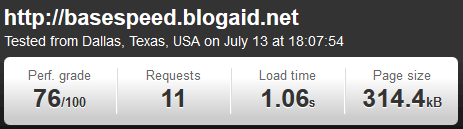
Pingdom Test Results
The test was set to run from Dallas, and I’m in Nashville, so that was the closest server to me.
Summary
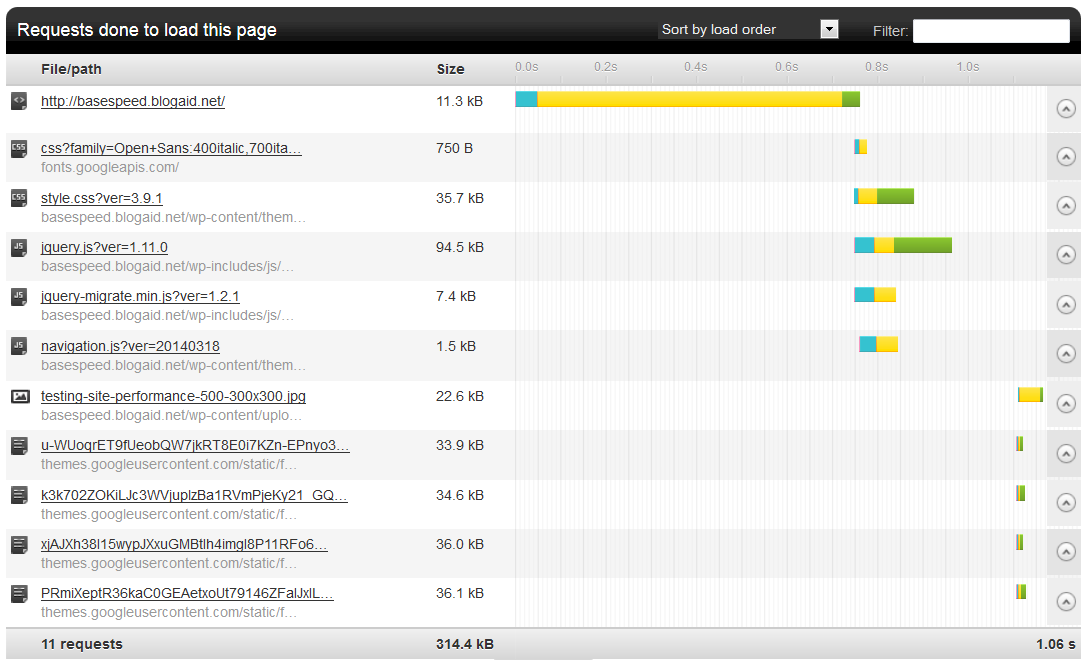
Waterfall and Performance Grades with Details
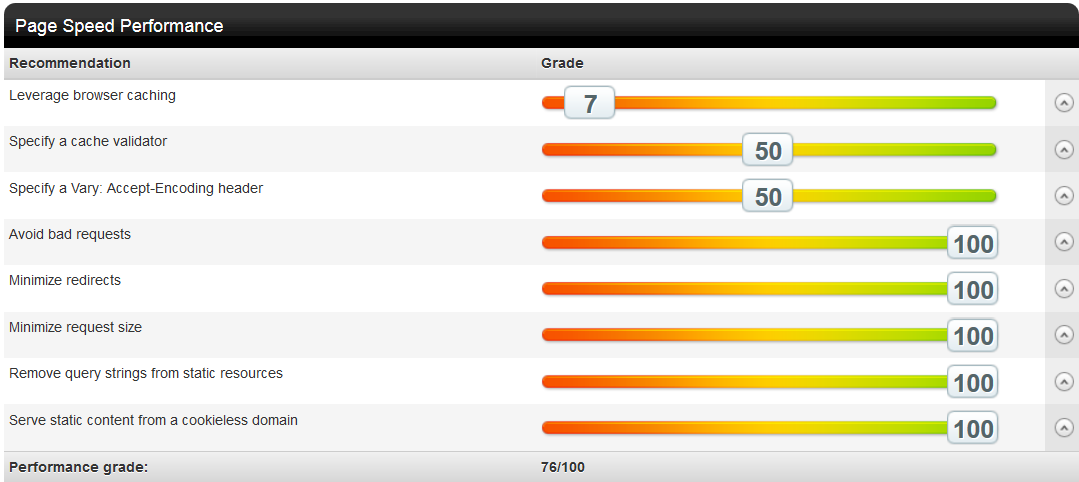
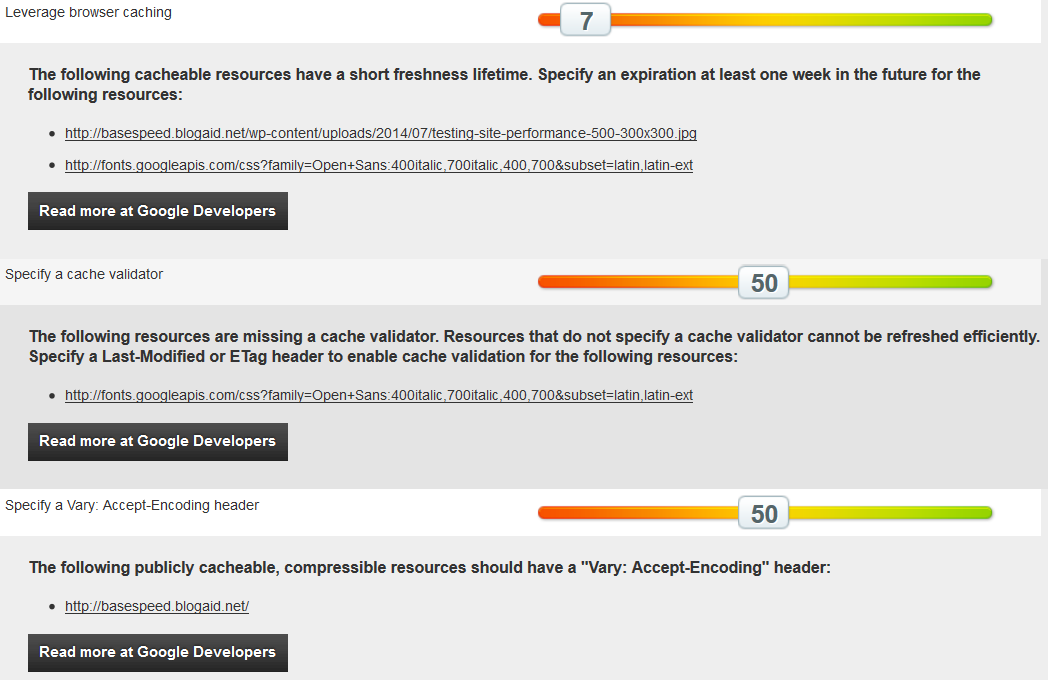
The whole Page Speed Performance Grade is one screenshot, followed by individual screenshots of each element that was below 100 with its details.
GTMetrix
Test Location

Summary

Page Speed Results

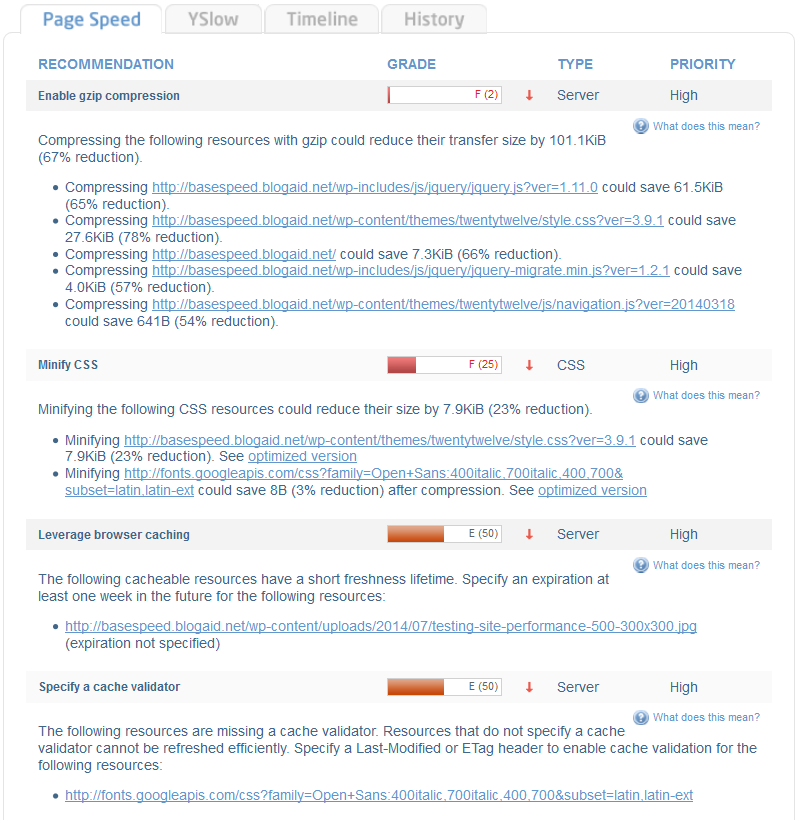
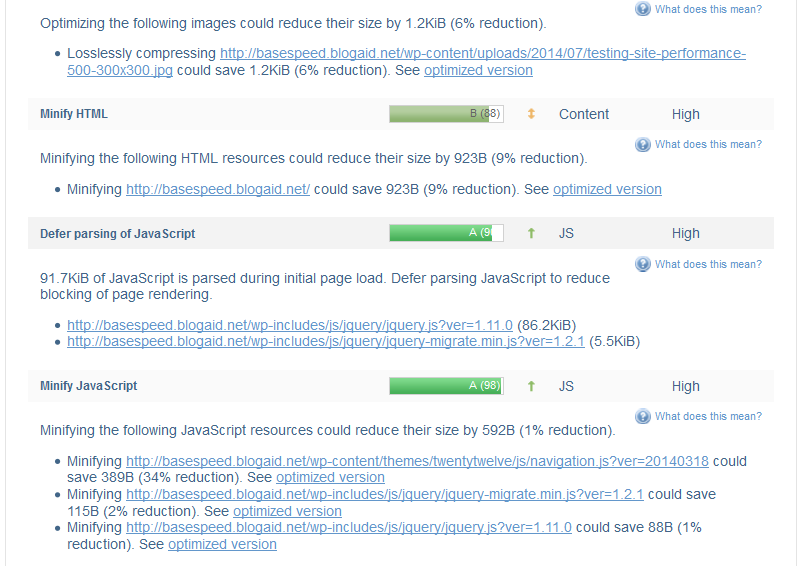
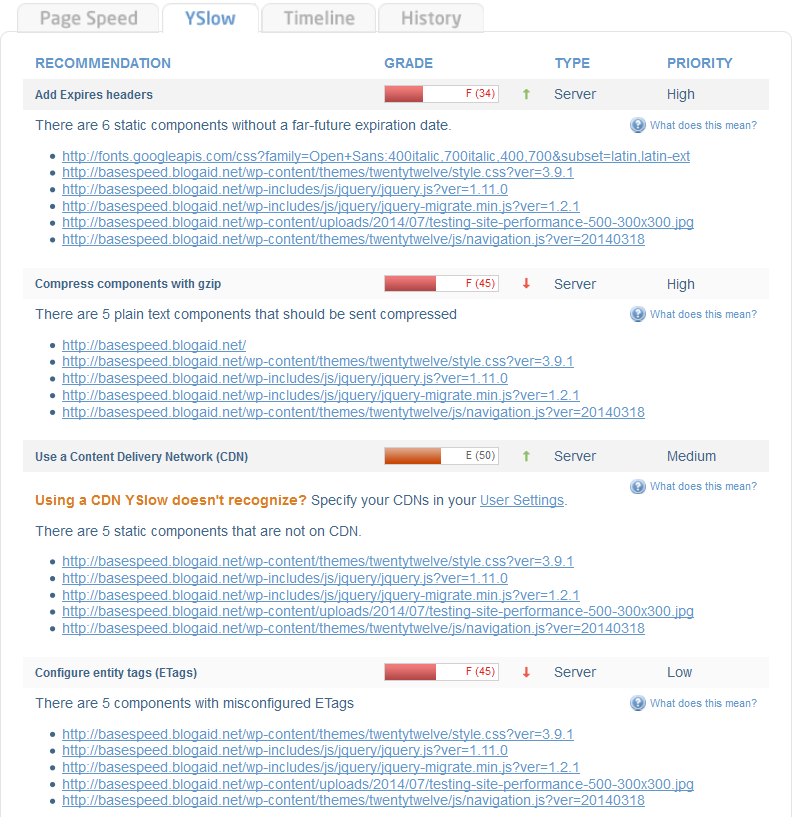
YSlow Results

Waterfall

WebPage Test
Test set to Dulles, VA. The Browser was set to Firefox.
Grade
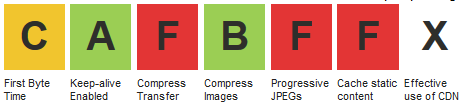
Summary

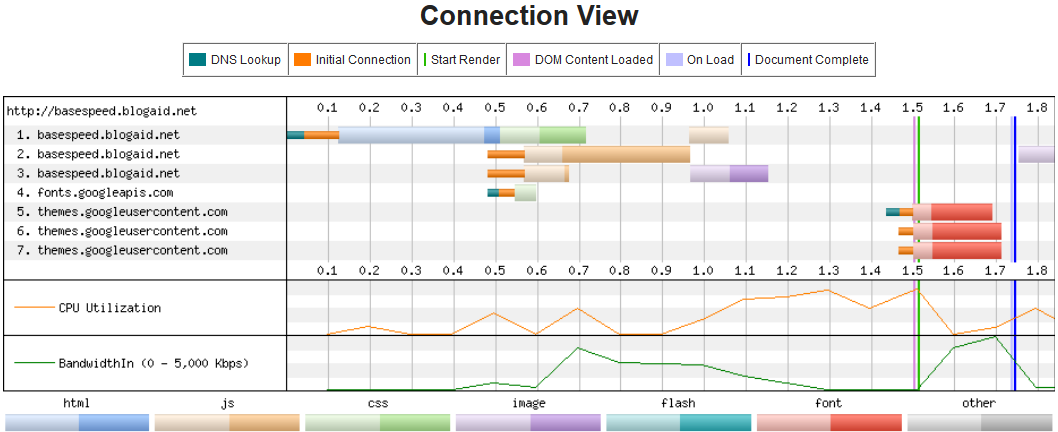
Waterfall and Connection View

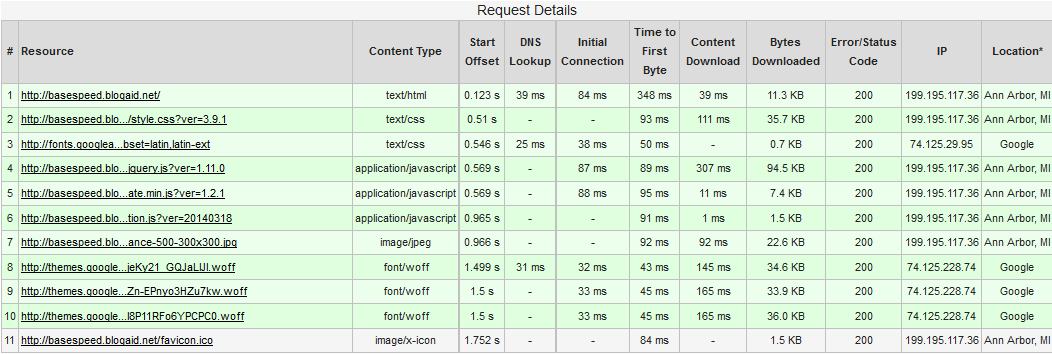
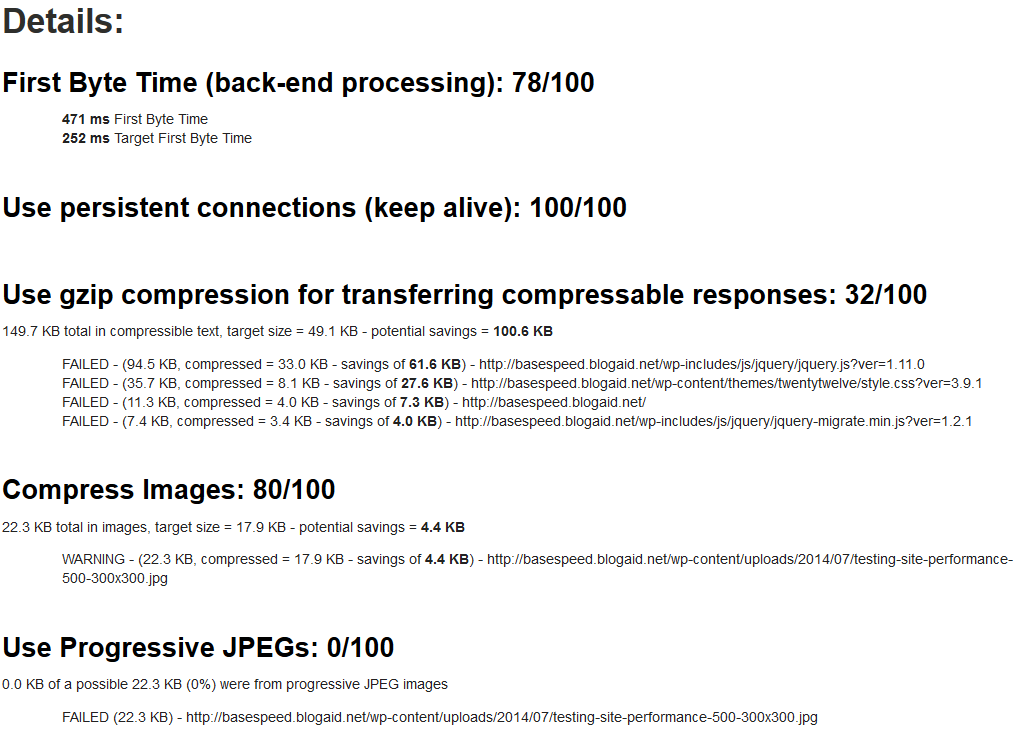
Request Details and Optimization Checklist and Details


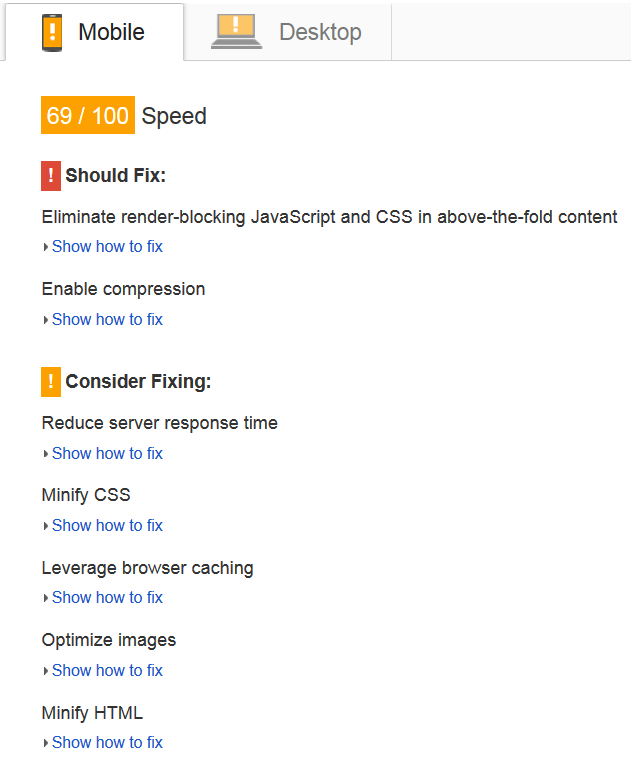
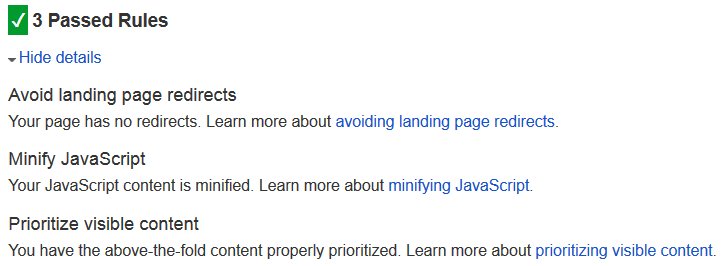
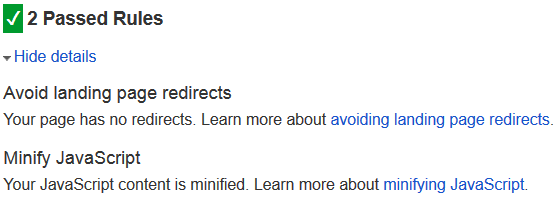
Google PageSpeed Insights
Mobile

Desktop

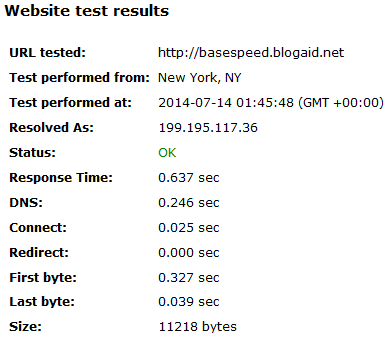
WebSitePulse
Summary
Wrap Up
Hopefully this test gives you an idea of how WordPress runs out of the box and the typical load you can expect.
There are multiple ways to get better performance out of WordPress, such as using a premium framework like Genesis, a caching plugin, like W3 Total Cache, and a CDN (Content Delivery Network) like CloudFlare.
I’ll have more test results for you with each of those items applied in future posts.
Hi MaAnna,
Wanted to stop by and check out your blog. Great source of information for WordPress users, Ana was right.
I’ve used Pingdom and GTMetrix before checking the performance of my blog but I don’t think I’ve tried the other three programs. I didn’t learn about them I believe until a few years ago.
I hired someone earlier this year to clean up my blog and database so that I could kind of start fresh and hopefully that helped with my speed a little. I also moved to a VPS server so I know that helped quite a bit. I’m sure it could always be better but my commenters don’t complain so it must load okay for them. It does for me.
This is a lot of work to test out sites but I seldom create a new one for myself. I can understand why though you would want to stay on top of things.
Very informative so thanks for this. Hope you’re enjoying your week.
~Adrienne
Hi Adrienne! Thanks so much for stopping by and taking the time to leave me a note. I’ll have a post out soon on my favorite free online testing tool, which is WebPageTest. It really gives me a lot of info and breaks things down to see what’s going on with the site performance.
Good for you having the site and database cleaned! Most folks forget about the database when they do a theme revamp. Like a house, it fills up with manner of junk and needs a spring cleaning now and again too. And moving to VPS is good for both speed and security. Allows you to implement more custom solutions than you can on shared. And every client I have gets hit differently on their sites. So, customizing solutions is important.
Thanks again for dropping by!!